

objective
Design a product testing platform to test up to 25 product concepts.
activity
frequirements
Create a study by entering basic info (e.g., name, PO number)
Upload each concept (image or video) and add details (e.g., name, brand)
Add study details for all concepts (e.g., market, language, category)
View total cost and proceed to checkout.

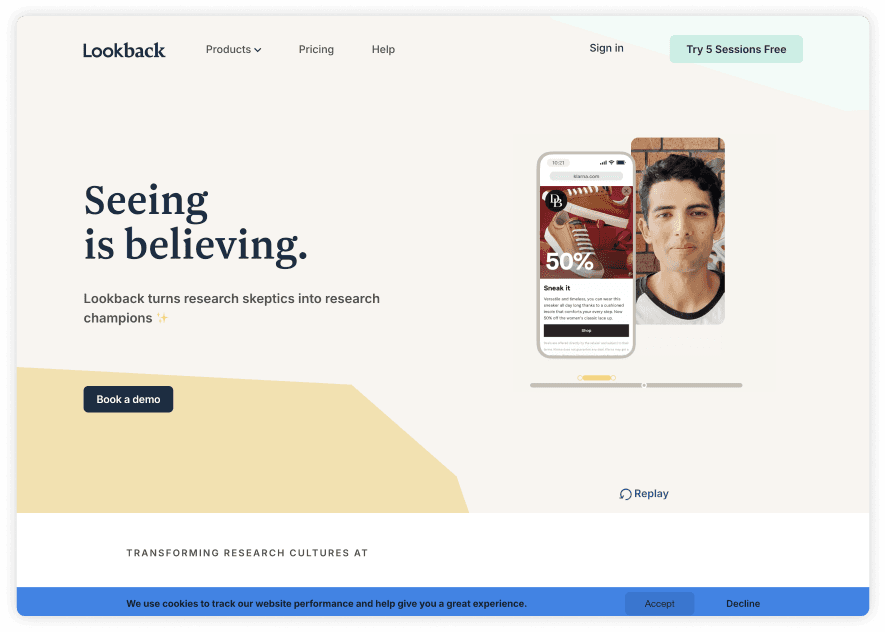
STRENGTHS
Offers a free trial before committing.
Automatic save reduces unnecessary clicks.
WEAKNESSES
Unintuitive CTA placement disrupts user flow.
Limited test options restrict flexibility.

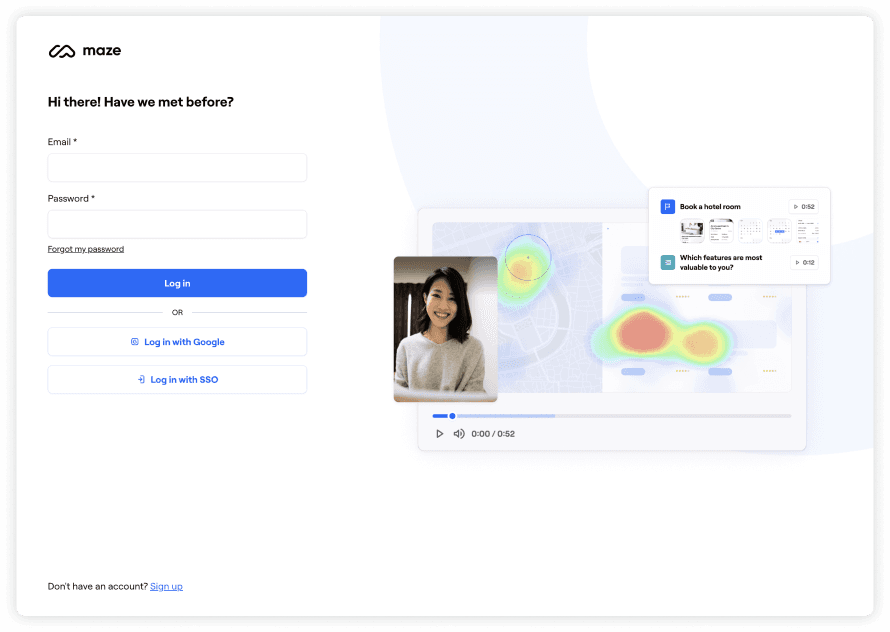
Robust test templates that offer flexibility and control.
A cluttered dashboard overwhelms users and obscures key tasks.
Misleading CTAs; the logo doesn’t return users to the dashboard.

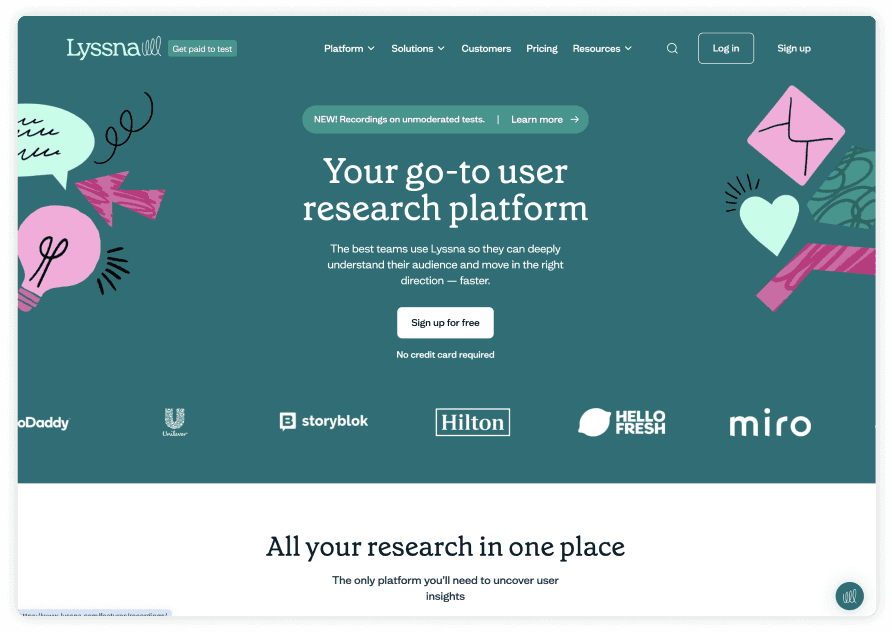
Clean, organized, and easy to navigate.
Versatile test options and diverse participants provide flexibility and choice.
Confusing terminology makes it hard to distinguish between “study” and “project.”
The absence of a side navigation menu causes confusion and hinders navigation.
overview
Sessions
Dates
Nov. 09, 2024
Test Method
A/B testing
Tool
Lyssna
Participants
10 participants from U.S.
Direction
Each participant was presented with two screens featuring the same instruction, one using the term "study" and the other "project," and was asked to choose the instruction they found easier to understand.
pain point
Terminology Test
X is an app that allows users to set up a [study or project] for testing up to 25 product concepts. Please review two instruction screens with different terminology—'study' and 'project'—and select the instructions that are the most straightforward and easy to understand.
result
A

40%
4 out of 10
B
Create a Project
Create a project by entering some basic project information (project name , PO number)
Upload each concept (image or video) and add details to each concept (concept name, brand name)
Add project details that apply to all concepts (test market, test language, product category )
View the total cost and proceed to checkout when ready

60%
6 out of 10
In light of the A/B test results, with 60% of users favoring 'project' over 'study,' I’ll use 'project' as the system terminology. However, due to the small sample size and the close results, additional testing will be necessary to analyze and validate this choice more thoroughly.
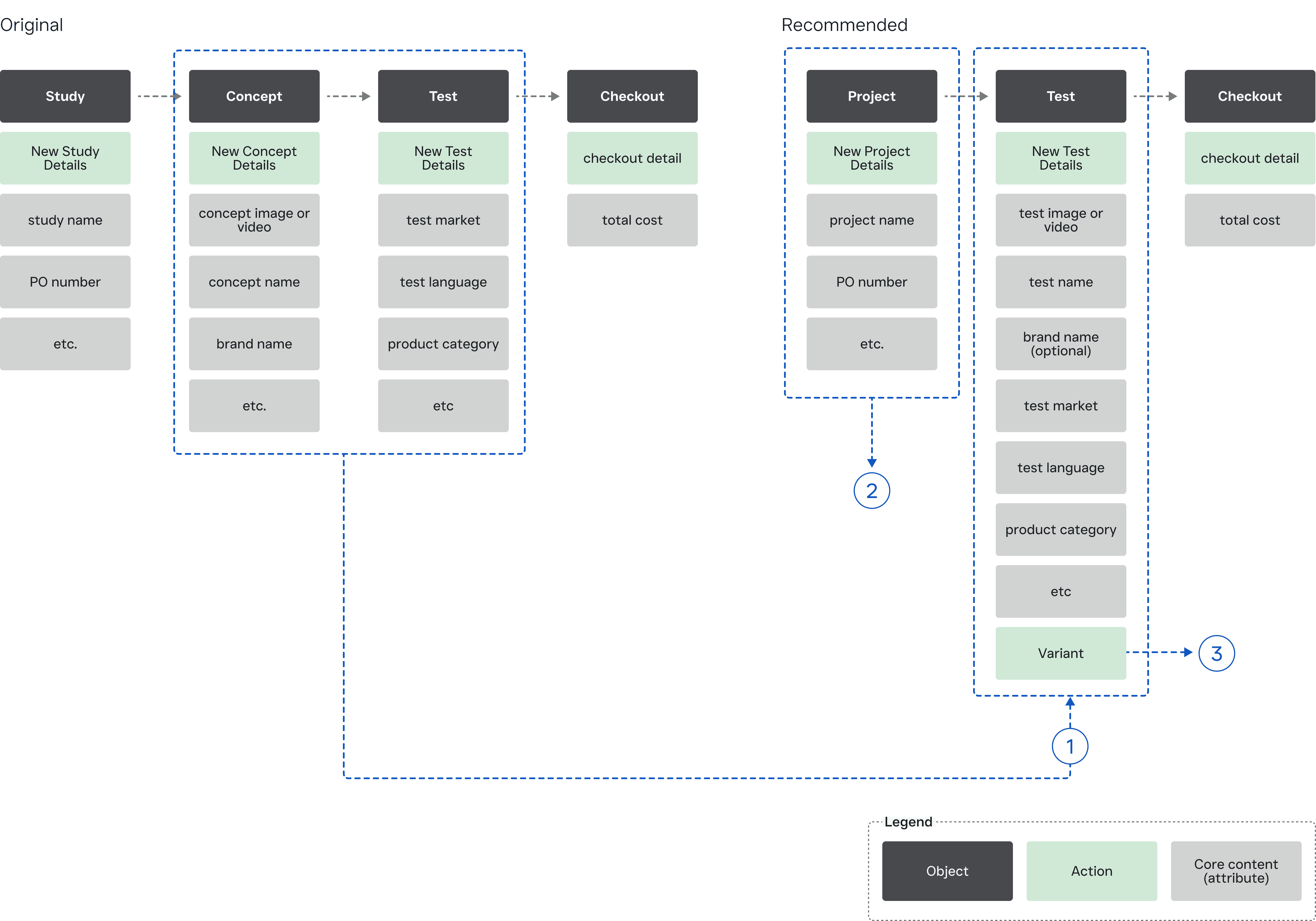
Object Map
1
Consolidated objects into one
To improve navigation and minimize redundancy, I streamlined the object map by merging 'concept' and 'study details' into a single object, 'test.'
This consolidation simplifies the process of setting up a product concept test, reducing unnecessary steps and making the experience more intuitive for users.
2
Revised terminology
Based on the A/B testing results, I revised "study" to "project" for improved clarity.
3
Test variants
Allows users to create multiple tests for each project, providing them with freedom and flexibility.
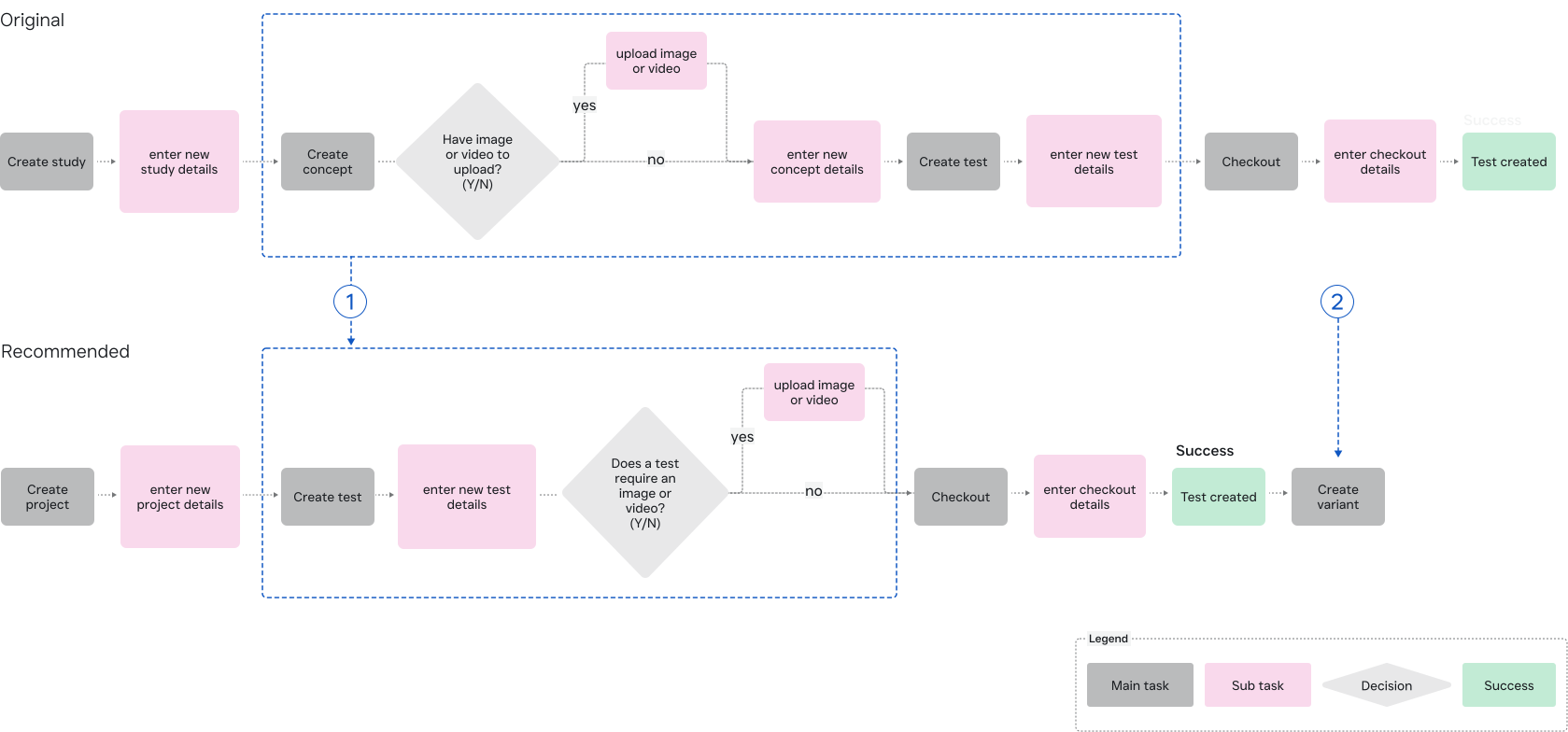
Simplified user flow
1
Consolidated steps
Consolidated 'Create Concept' and 'Create Test' into a single 'Create Test', eliminating redundancy, reducing unnecessary clicks, and streamlining the process.
2
Create multiple tests
Users can create multiple tests by making variants from an existing test, reducing redundant steps and avoiding the need to re-enter test details.
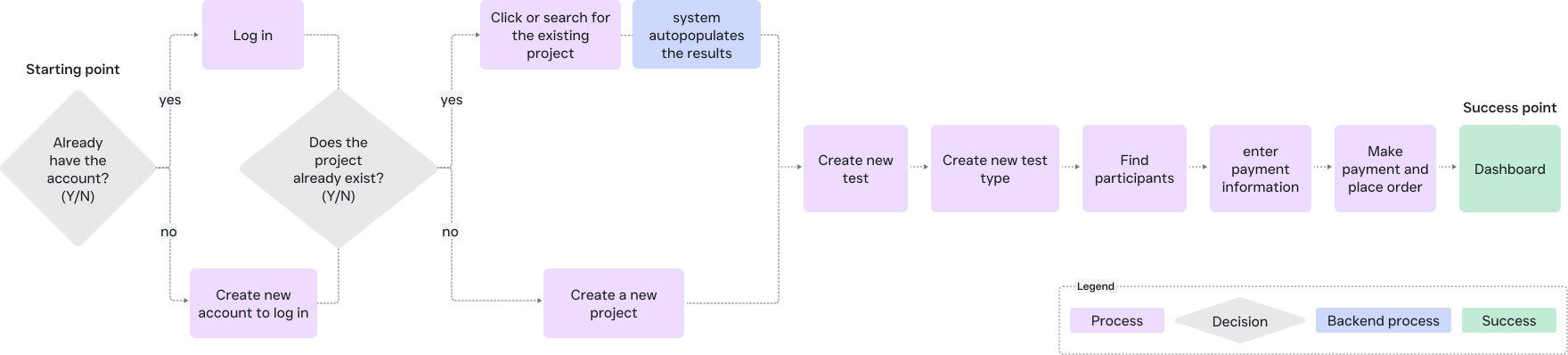
User flow based on user scenario

User scenario
Jacob, the CEO of Lumiara Beauty, plans to run a product test on a new perfume bottle’s packaging to identify which design will most effectively drive sales.
objective
Jacob needs to set up a study on Kantora to evaluate user feedback and assess the effectiveness of his package design before launching it to a wider audience.
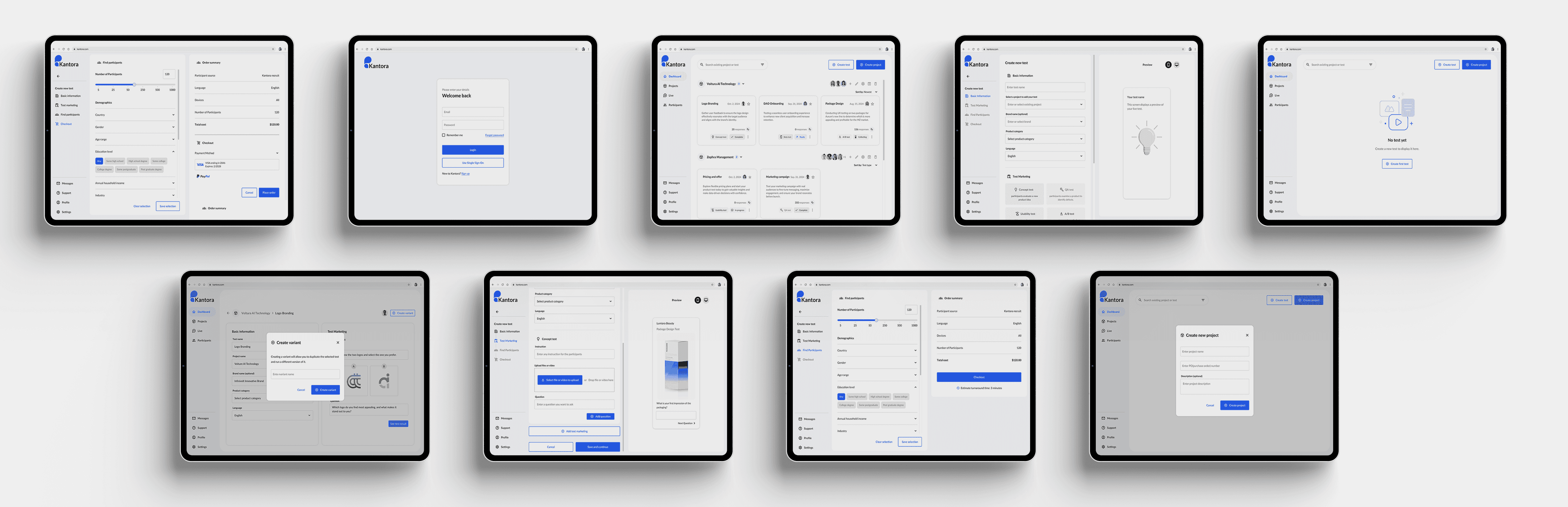
Dashboard
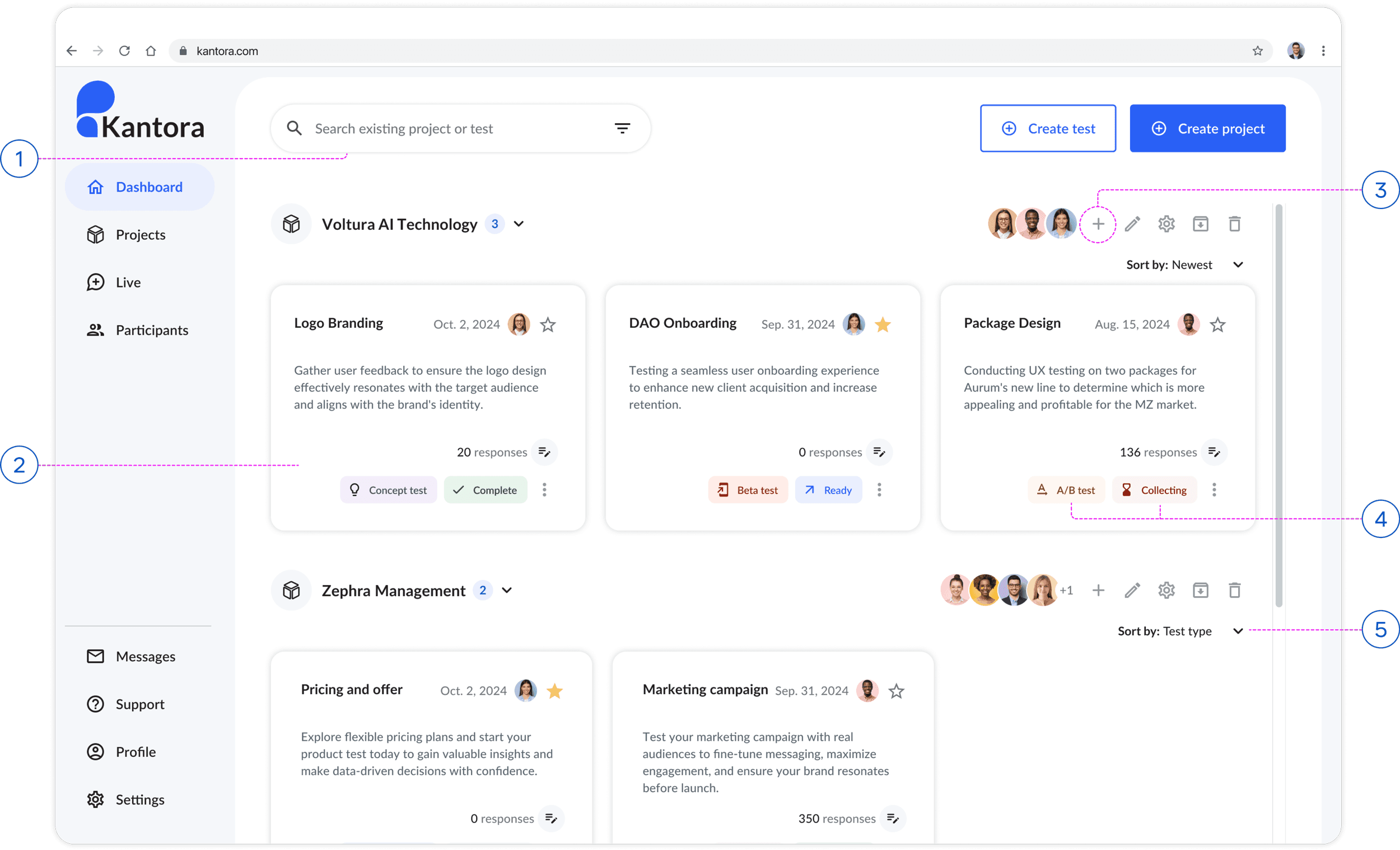
1
Search bar
Users can quickly find existing projects or tests using the search bar.
2
Test card
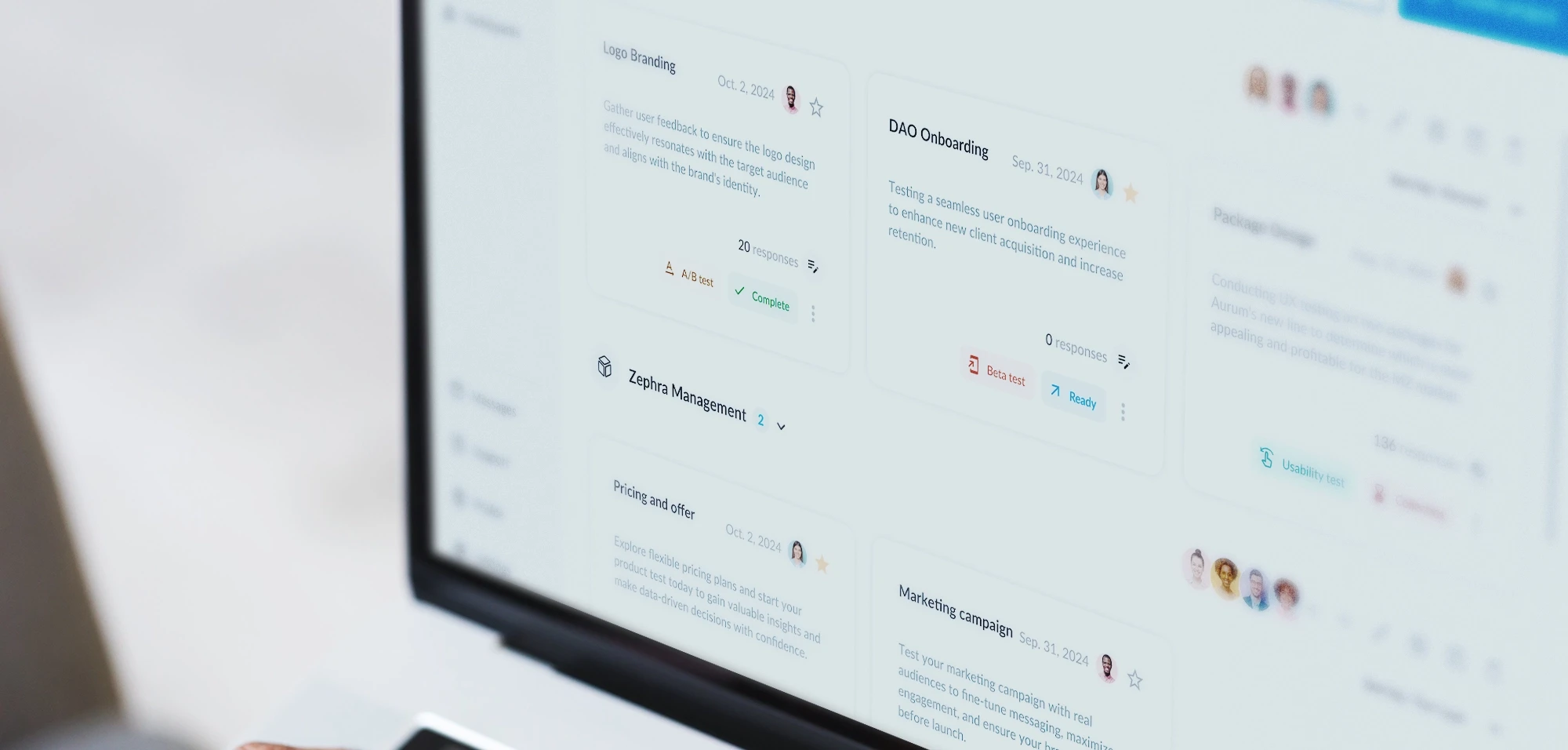
Each card represents a test within a project, offering high-level information and improved accessibility.
3
Create new test
Users can efficiently create a new test within any project.
4
Information & status chips
Displays the test type and testing status to ensure system status visibility.
5
Sort
Users can sort tests, providing them with freedom and control.
Create a new test screen
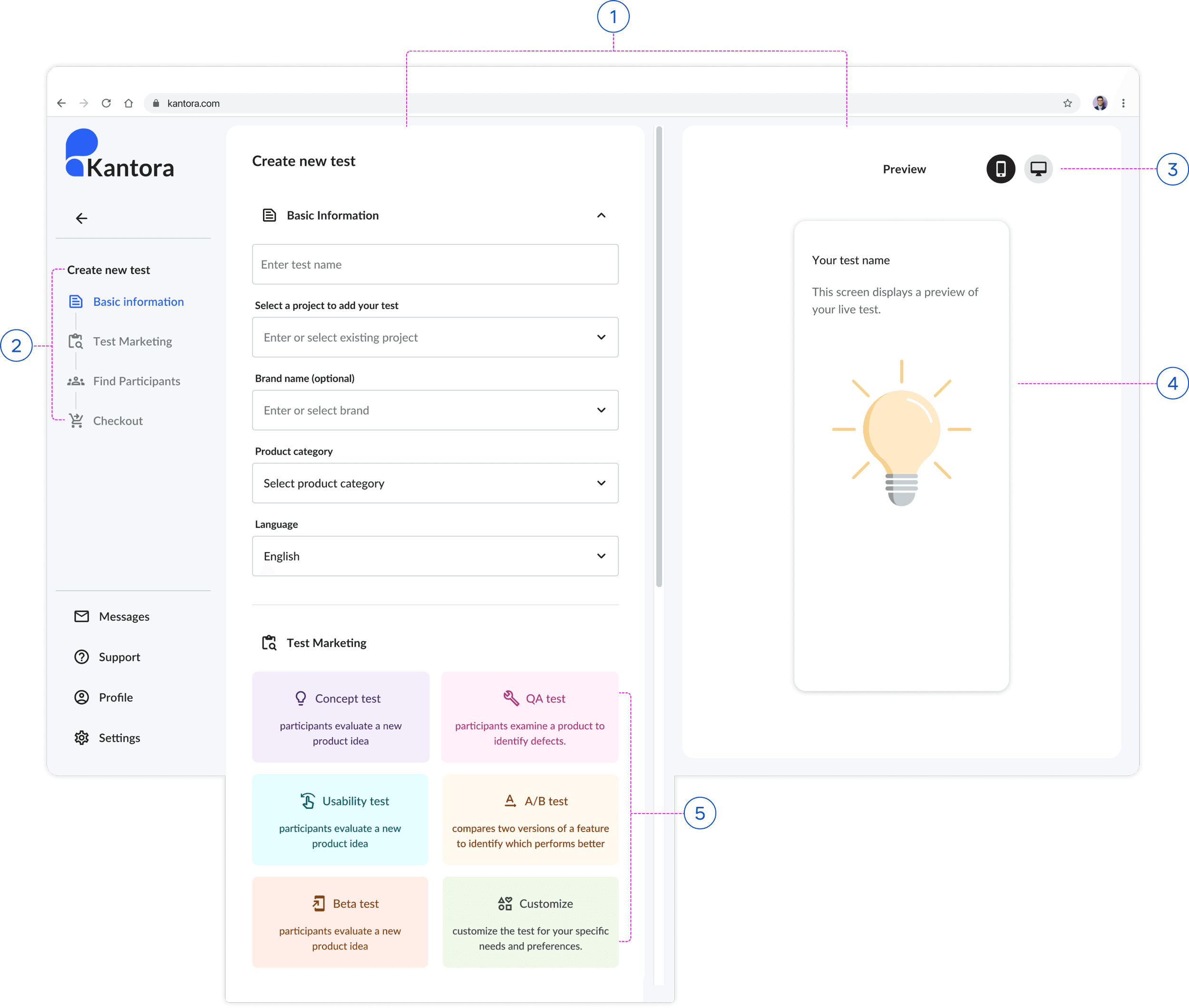
1
Two pane layout
A two-pane layout improves readability, organization, and navigation for users.
2
Step tracker
Shows users where they are, lets them go back and edit, and helps them recover from errors.
3
Mobile & Desktop preview
Allows users to switch between mobile and desktop views, giving them greater flexibility and control.
4
Live preview
Provides a live preview of the final experience, ensuring clear visibility into system status and reducing potential errors.
5
Test maketing options
Users can easily select a test or customize one, giving them flexibility within the system.
Create a new test & project flow
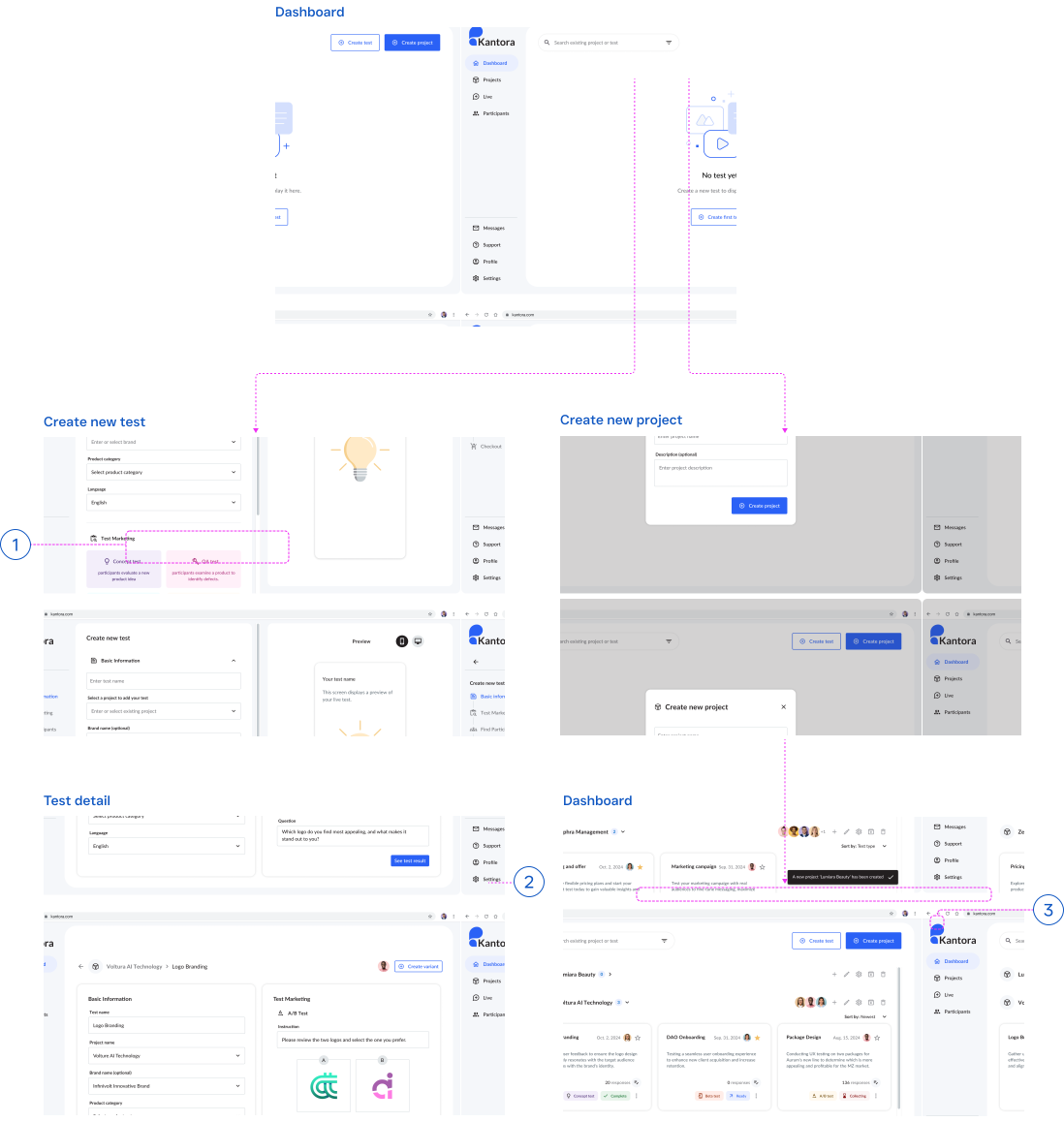
1
Flexibility to choose or create new project
Once a test is created, users can assign it to an existing project or create a new one.
2
Create multiple variant tests
Users can create a variant from an existing test, eliminating the need to recreate it from scratch.
3
Various gateways to create a new test
Users can also create the new test from the project.